
One person or many teams. Keep every site connected.
Manage field work, site visits, tasks and records across multiple locations without juggling separate forms and spreadsheets. FloApps helps lone managers, consultants and distributed teams stay organised and see what is happening across their sites.
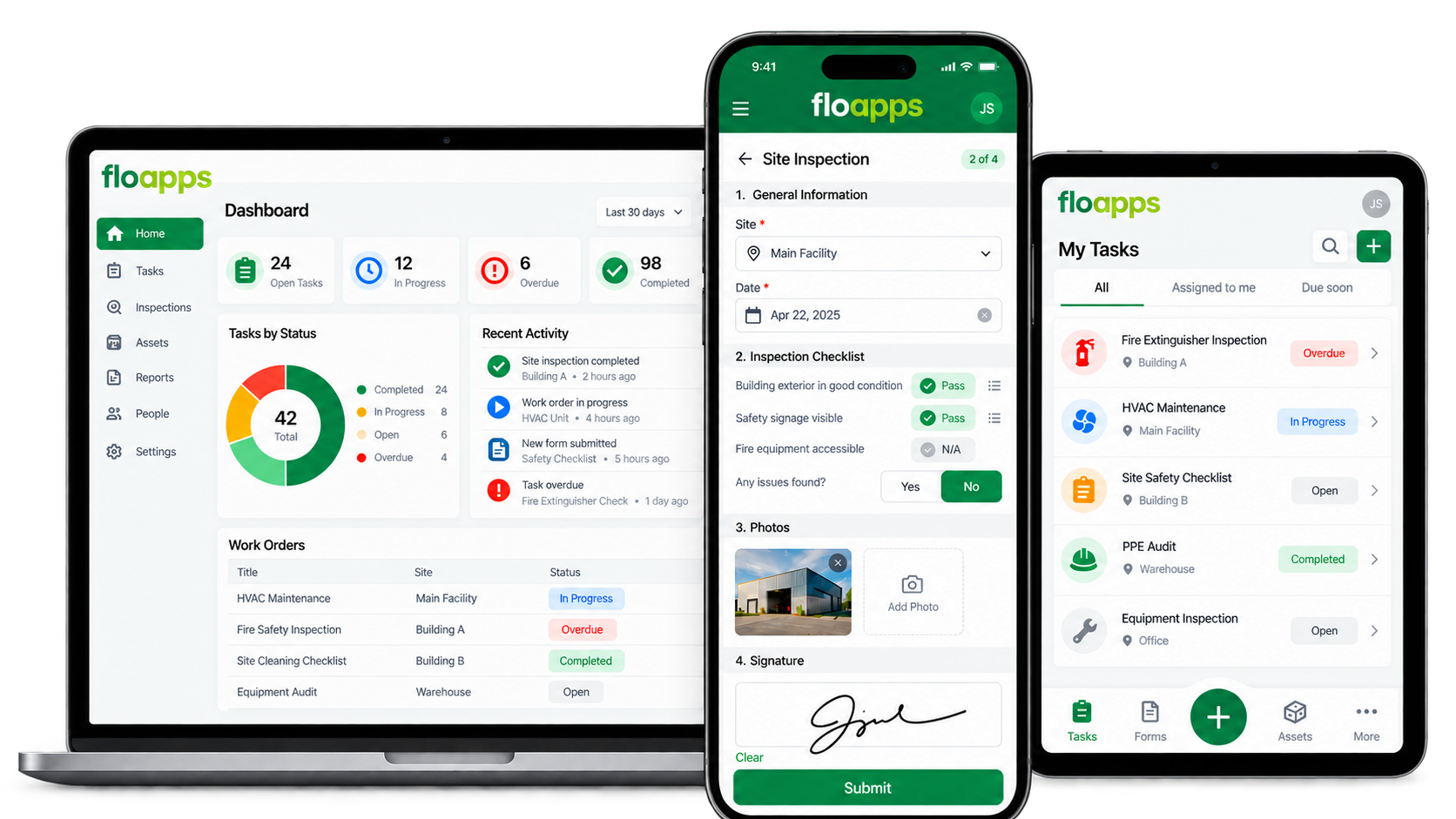
Many locations. Too many disconnected updates.
Managing multiple sites often means different spreadsheets, messages, paper forms and follow-up lists. Whether you work alone or coordinate a whole field team, finding out what has been completed and what still needs attention takes time.
FloApps can bring site activity into one configurable system while keeping each location's records clear and accessible.
One manager can still manage many sites.
You may be a consultant, the only person in your function or a regional manager with dozens of locations. Use a common process to capture site activity, track actions and prepare updates without rebuilding reports every time.
From site assignment to central visibility.
A typical workflow for field teams and multi-site managers.
01 · Assign
Create a job, inspection, service request or visit and link it to the right site and person.
02 · Work on site
Use mobile forms and checklists to capture observations, tasks, photos, signatures and location data.
03 · Sync records
Save structured records and synchronise offline captures when connectivity returns.
04 · Route actions
Assign follow-up work, responsibilities and due dates to the relevant people.
05 · Review across sites
See location-specific submissions, outstanding work and activity across your sites.
06 · Report
Use consistent records and configured reports to identify what needs attention and confirm completion.
Practical tools for work across locations.
Choose what matters for your people, your sites and the type of work being carried out.
Multi-site records
Use consistent data structures with site-specific locations, teams and activities.
Field forms and checklists
Create mobile inspections, site visits, maintenance forms, service reports and handovers.
Offline working
Capture information where connectivity is poor, then synchronise according to the configured workflow.
Tasks and follow-up
Route work requests, approvals and corrective actions to the right owners.
Photos, GPS and signatures
Capture evidence of field activity and work completion where needed.
Site-level visibility
See operational records by location while keeping a central overview.
Roles and permissions
Configure who enters, reviews or manages records for sites and teams.
Dashboards and reports
Bring field and site records into reports, with enhanced analytics available when scoped.
Built for both small teams and distributed operations.
You don't need a large workforce to benefit from connected site records.
One manager, many sites
Keep your site visits, findings, follow-up actions and records together without managing multiple spreadsheets.
Small consultancy teams
Manage client or site-specific activities and produce consistent records.
Distributed field teams
Coordinate technicians, inspectors, service staff and operational workers across locations.
Multi-branch businesses
Standardise routine checks and reporting while retaining visibility into each branch.
Facilities and estates
Track inspections, maintenance, contractors and site service requests.
Mobile service operations
Capture job details, signatures, photographs and completion records in the field.
Standardise what matters without treating every site as identical.
Configure a common inspection, maintenance or service process across your sites, while allowing location-specific questions, responsibilities and evidence where required.
Site identifiers and reporting views can help you compare activity, see outstanding actions and decide where to focus next.
Start with one repeatable process.
It might be a weekly site inspection, facilities walkthrough, job completion form or regional action tracker. Build one dependable workflow first, then add more as it proves useful.
Designed around the sites you actually manage.
Flocrunch helps define site structures, roles, forms, workflow steps and reports, then configures and tests your solution and supports training and rollout.
The number of sites, users, permissions, integrations and reporting requirements are agreed during implementation.
Tell us how your sites operate.
Whether you're one person visiting many locations or managing several field teams, we'll explore how FloApps can reduce unnecessary admin.
Questions about managing multiple sites with FloApps.
Is FloApps only for large organisations?
No. It can support an individual managing several sites or a larger team. The implementation should match your workload, users and required processes.
Can I see information separately for each site?
Yes. Forms, records and reporting can be configured to include site identifiers and location-level views.
Can we use the same checklist across all sites?
Yes. Shared forms can support consistent data capture, while site-specific questions and requirements can be incorporated where needed.
Can people work offline?
FloApps supports offline capture. Synchronisation and any conflict-handling requirements should be assessed when configuring your workflow.
Can tasks and follow-up actions be assigned?
Yes. Workflow routing, owners, due dates and action statuses can be configured for your teams.
Can we manage contractors and assets too?
Yes. Those are related workflows that can be implemented alongside field and multi-site operations, subject to your requirements.
Less chasing updates. More visibility across locations.
Start with the field or site process that slows you down most and build from there.